...

By Anthony Cuthbertson
Share
Newsweek is a Trust Project member
See more of our trusted coverage when you search.Prefer Newsweek on Googleto see more of our trusted coverage when you search.
Taking a picture of the moon with a regular camera is hard as capturing an entity 239,000 miles away using a smartphone takes a special kind of skill. The glowing smudged images that are steadily filling people's instagram feeds attest to this.
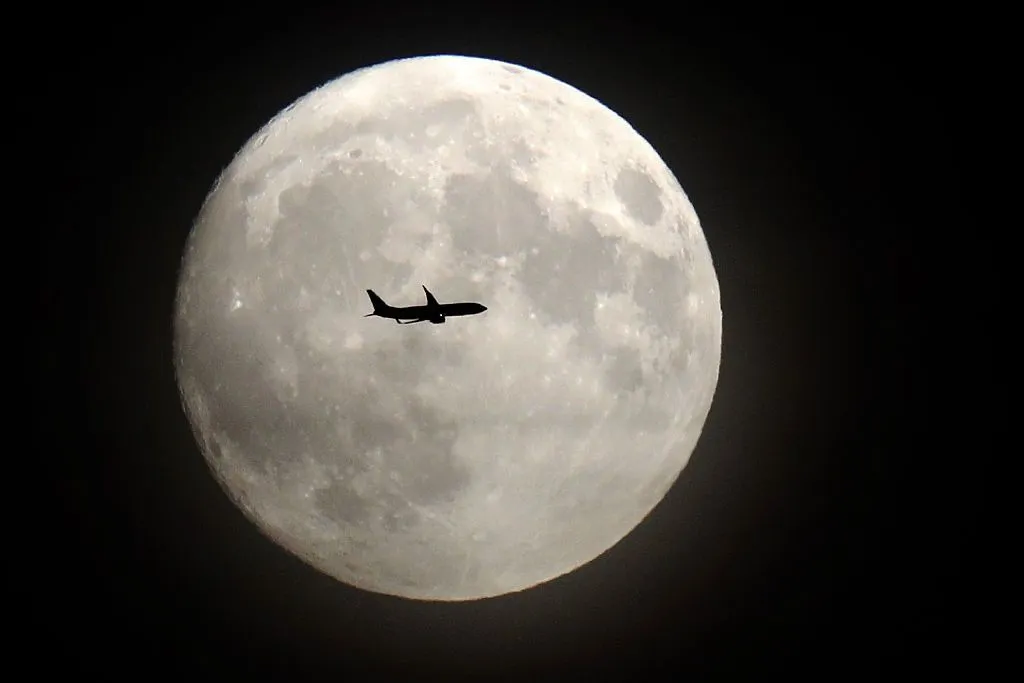
Monday night the moon is making its closest pass to the Earth since 1948, in what astronomers are dubbing a "supermoon." It will appear 7 percent larger than normal and about 15 percent brighter than the moon appears normally and won't be this close again until November 25, 2034.
As with any major lunar event, people will be pointing their cameras to the sky to try to capture it—weather permitting. The adage goes that the best camera is the one you have with you, and for many people this will be their iPhone or smartphone. So what's the best way to take a picture of the supermoon with something primarily designed as a communication device?
Read More on Science

...
Perspective
The moon looks largest when it is close to the horizon, so try and pick a vantage point that allows you to snap the moon as it's rising. Moonrise times in your area can be found through a quick online search.
Getting away from ambient light will also make the moon appear brighter, so get yourself as far away from cities and towns as you can— this map gives a good indication of which areas are free of light pollution.

...
Camera settings
Firstly, turn your flash off. There's no chance the flicker of light from your phone is ever going to reach the moon, but every possibility that a terrestrial object will be illuminated and ruin your shot.
Several apps exist for both Android smartphones and iPhones, which claim to augment your device's picture-taking abilities. One of the best is Adobe Lightroom, as it allows you to take RAW images. This format will give you the most options once the photo has been taken to adjust the brightness, contrast and other image settings.
Another decent low-light app is NightCap, though this is only available for iPhone users.
Taking the picture
While you might not have a tripod with you, anything you can use to steady your shot will help significantly. It will likely be a tricky angle, so placing a coat or sweater on a table or chair and nestling your smartphone at the correct angle on a timer might be your best option.
Be careful of condensation on the lens. To minimize the risk of water moisture spoiling your picture, allow some time for your device to acclimatize to the conditions.
If you own a pair of binoculars or a telescope, a simple trick is to hold them over the camera lens to achieve greater magnification. Some of the world's best astrophotographers have used this technique to take stunning photos of the moon using just their iPhone.
If all that fails, then don't worry. Just look up and enjoy the spectacle for what it is first hand.
Submit Correction
View Editorial & AI Guidelines