
By Cammy Harbison
Writer
0
Share
Newsweek is a Trust Project member
See more of our trusted coverage when you search.Prefer Newsweek on Googleto see more of our trusted coverage when you search.
Want to play your Snapchat videos backwards, but aren't sure how? Check out our simple tutorial for reversing Snapchat videos here.
I've been an avid user of Snapchat for several years now, and while the company is always finding new and innovative ways to keep its userbase interested, I'm in constant awe of the ways in which the community takes Snapchat's many features and finds ways to elevate their use to a whole new level.
Read More on Science
While Snapchat's latest gender-swap filter was all the rage last week, this week the backward or reverse recording feature is taking center stage. While the video reversing Snapchat filter has been around for several years, apparently no one has spent much time exploring just what you can achieve with it. That is, until this week. In a viral trend on social media, Snapchat users are urging their friends to record themselves saying the words "Sigh name cuff" and then play it backward to hear the result. It's surprising, to say the least.
If you've seen some of the posts and are hoping to get in on the fun or are just curious how to get your Snapchat videos to play in reverse, we've put together a simple tutorial to guide you through the process. Check it out below.
RELATED: How to use Snapchat's baby face filter
How to Play Snapchat Videos in Reverse [Tutorial]
...
- Open your Snapchat app and go to the Snap/Recording screen.
- Position your face in the screen.
- Press and hold the round button at the bottom of the screen to begin recording.
- When you've finished saying "Sigh name cuff" or whatever you are recording, let go of the button.
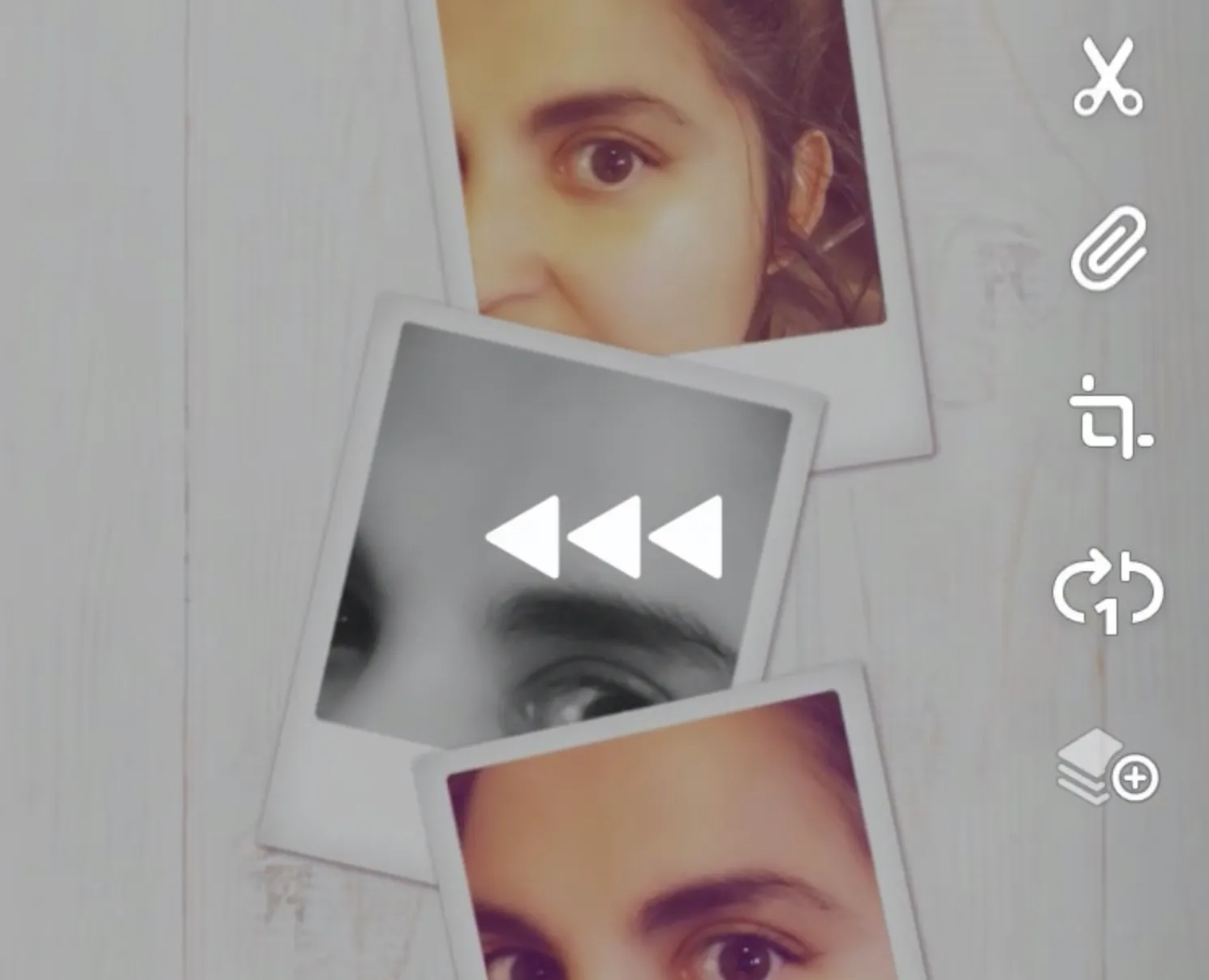
- While still on your recording screen, swipe left through the video filters till you see one with three backward arrows. This is the video-reversing filter.
- Stop on the video-reversing filter and save your snap.
- When you play it back, you should hear your recording play backward.
- Below is a gif tutorial if you get stuck.
Twitter Reacts to Snapchat "Sigh Name Cuff" Backward Videos
What do you think of Snapchat's video reversing filter? What cool videos have you been able to create with it? Share with us in the comments below!
View 0 Comments
Submit Correction
View Editorial & AI Guidelines