
By Phillip Martinez
Writer
0
Share
Newsweek is a Trust Project member
See more of our trusted coverage when you search.Prefer Newsweek on Googleto see more of our trusted coverage when you search.
Microsoft's march onto mobile devices continues with the launch of Xbox Cloud Gaming.
Starting Tuesday, September 15, many gamers around the world will be able to take their Xbox gaming experience with them wherever they go on their mobile devices. This new service will also allow gamers who don't own an Xbox console to get in on the fun.
With more than 150 games to play on your mobile device at launch, there's a lot to Xbox Cloud Gaming that potential subscribers will want to know.
Read More on Newsgeek
...
HOW XBOX CLOUD GAMING WORKS
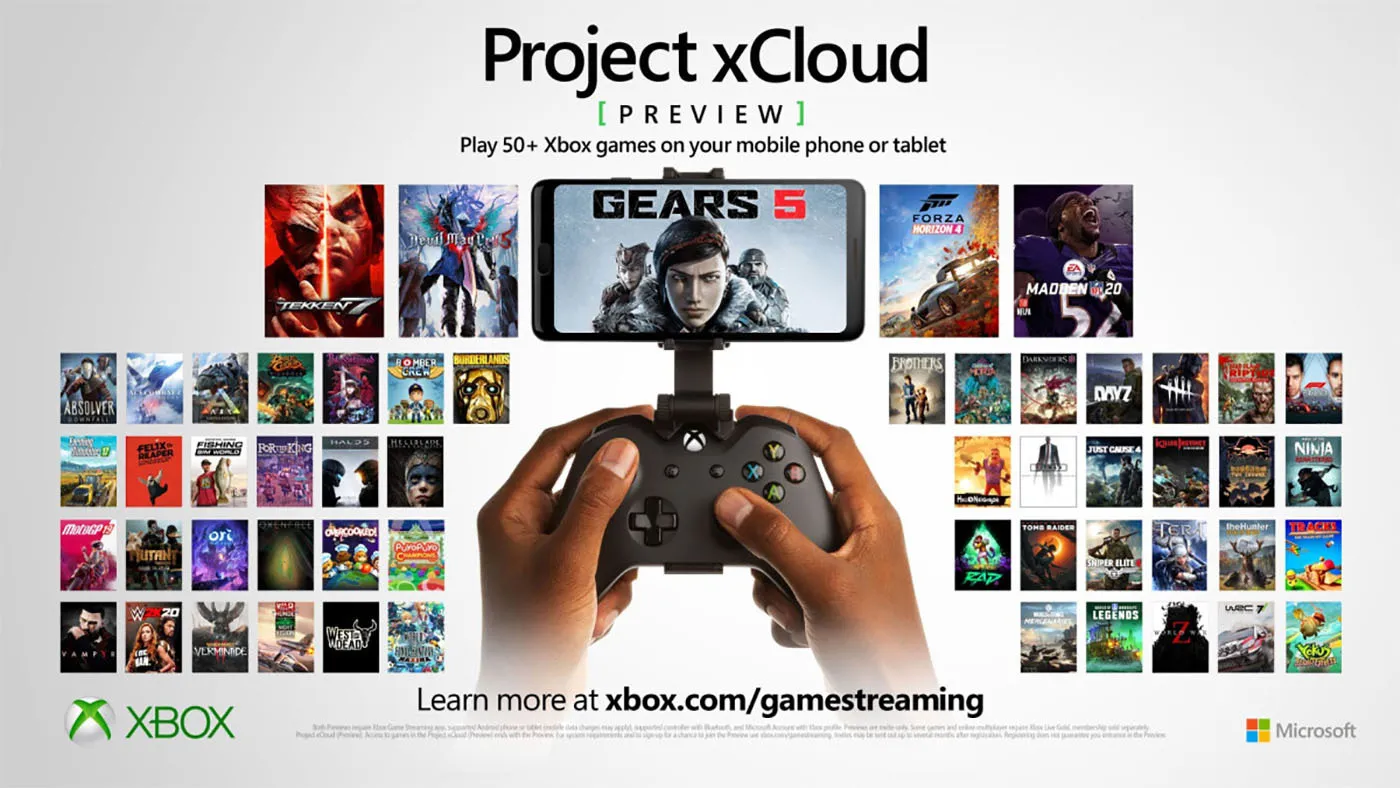
Xbox Cloud Gaming is an online service that allows gamers to play select titles on mobile devices for a monthly subscription. There are two ways Xbox Cloud Gaming works: The first is by syncing to an Xbox profile, which is housed in the cloud, to allow gamers to pick up and play any title that they already own on their mobile devices.
If you're in the middle of a playthrough of Gears 5, you can boot it up on your mobile device to continue playing. Players will be able to go back and forth between mobile and home consoles using the cloud.
The second way gamers can check out Xbox Cloud Gaming is particularly interesting—it works for those who don't even own an Xbox at all. With the mobile app and a Xbox Ultimate Gaming Pass subscription, players will be able to play games on their mobile devices with a supported controller.
Players will be able to reap the full benefits of the Xbox ecosystem, including friends, achievements, parties and voice chat, cloud saves and the ability to enjoy multiplayer with other gamers, regardless of whether they're playing on console or via the cloud. You can also play with PC players in games where cross-play with Xbox One consoles is supported.
HOW TO SIGN UP FOR XBOX CLOUD GAMING
To sign up and set up your Xbox Cloud Gaming account, you'll first need to sign up for the Xbox Games Pass Ultimate subscription.
By signing up with an Xbox account, you'll be able to input your credit card information to start your subscription today. The first month of the service will be just $1, with subsequent months charging $14.99.
Xbox Games Pass Ultimate includes the cloud gaming feature as well as the Xbox Gold membership, which gives discounts on games and offers certain titles for free every month. This is also the service needed to play Xbox games online.
WHAT YOU NEED TO START USING XBOX CLOUD GAMING
When the beta launches on Tuesday, September 15, there will be only 22 countries that it'll be available for, including the United States.
Simply download the Xbox Game Pass app on either the Samsung Galaxy or Google Play Store and sign-in to get started.
If you're an iOS user, you won't have access to the Xbox Game Pass app because of Apple's restrictive policies on its App Store. Perhaps one day iOS will get the app, but for now Microsoft feels the restrictions "remain a bad experience for customers."
Gamers will also need a wi-fi-supported controller to play the games on Xbox Game Pass, such as the Xbox Wireless controller or the new Razr Kishi.
XBOX CLOUD GAMING GAMES LIST
There will be more than 150 games available when the Xbox Cloud Gaming service launches on September 15.
Many of these games include fan-favorite titles like the Gear series, Forza series, The Witcher 3 and much more. Here's the complete list of games coming to Xbox Cloud Gaming at launch:
- A Plague Tale: Innocence
- Absolver
- Afterparty
- Age of Wonders: Planetfall
- ARK: Survival Evolved
- Astroneer
- Batman: Arkham Knight
- Battletoads
- Battle Chasers: Nightwar
- Black Desert
- Blair Witch
- Bleeding Edge
- Bloodstained: Ritual of the Night
- Bridge Constructor Portal
- Carrion
- Children of Morta
- ClusterTruck
- Crackdown 3: Campaign
- Crosscode
- Darksiders Genesis
- Darksiders III
- DayZ
- de Blob
- Dead by Daylight
- Dead Cells
- Dead Island Definitive Edition
- Death Squared
- Deliver us the moon
- Demon's Tilt
- Descenders
- Destiny 2: Shadowkeep & Forsaken expansion (September 22)
- DiRT 4
- Don't Starve
- Double Kick Heroes
- Drake Hollow
- Dungeon of the Endless
- Enter The Gungeon
- F1 2019
- Fallout 76
- Farming Simulator 17
- Felix the Reaper
- Fishing Sim World: Pro Tour
- For the King
- Forager
- Forza Horizon 4
- Fractured Minds
- Frostpunk: Console Edition
- Gato Roboto
- Gears of War 1: Ultimate Edition
- Gears of War 4
- Gears of War 5
- Goat Simulator
- Golf with Your Friends
- Grounded
- Guacamelee! 2
- Halo 5: Guardians
- Halo Wars 1: Definitive Edition
- Halo Wars 2
- Halo: The Master Chief Collection
- Halo: Spartan Assault
- Hellblade: Senua's Sacrifice
- Hello Neighbor
- Hollow Knight (Renewal)
- Hot Shot Racing
- Human Fall Flat
- Hyperdot
- Hypnospace Outlaw
- Indivisible
- Journey to the Savage Planet
- Katana ZERO (Coming soon)
- Killer Instinct DE
- Kona
- Levelhead
- Lonely Mountains: Downhill
- Marvel vs. Capcom: Infinite
- Metro 2033 Redux
- Middle Earth: Shadow of War
- Minecraft: Dungeons
- MINIT
- Momodora: Reverie Under the Moonlight
- Moonlighter
- Mortal Kombat X (Not available in Korea)
- Mount & Blade: Warband
- Moving Out
- Mudrunner
- Munchkin: Quacked Quest
- Mutant Year Zero: Road to Eden
- My Time At Portia
- Neon Abyss
- New Super Lucky's Tale
- NieR:Automata
- Night Call
- Night in the Woods (Coming soon)
- No Man's Sky
- Nowhere Prophet
- Observation
- Ori and the Blind Forest: Definitive Edition
- Ori and the Will of the Wisps
- Overcooked! 2
- Oxenfree
- Pathologic 2
- Pikuniku
- Pillars of Eternity: Complete Edition
- Power Rangers: Battle for the Grid
- ReCore: Definitive Edition
- Remnant: From the Ashes
- Resident Evil 7 Biohazard
- Rise & Shine
- River City Girls (Coming soon)
- Sea of Thieves: Anniversary Edition
- Sea Salt
- Secret Neighbor
- Shadow Warrior 2
- Slay the Spire
- Sniper Elite 4
- Spiritfarer
- State of Decay 2: Juggernaut Edition
- Stellaris
- Stranger Things 3: The Game
- Streets of Rage 4
- Streets of Rogue
- Subnautica
- Surviving Mars
- Tacoma
- Tell Me Why Episode 1 – 3
- Terraria
- The Bard's Tale IV: Directors Cut
- The Bard's Tale Remastered and Resnarkled
- The Bard's Tale Trilogy
- The Dark Crystal: Age of Resistance Tactics
- The Elder Scrolls Online
- The Gardens Between
- The Jackbox Party Pack 4
- The Long Dark
- The Lord of the Rings: Adventure Card Game
- The Messenger
- The Outer Worlds
- The Surge 2
- The Touryst
- The Witcher 3: Wild Hunt
- The Escapists 2
- The Talos Principle
- The Turing Test
- The Walking Dead: A New Frontier – Episode 1 through 5
- The Walking Dead: Michonne – Episode 1 – 3
- The Walking Dead: Season Two
- theHunter: Call of the Wild
- Thronebreaker: The Witcher Tales
- Totally Accurate Battle Simulator
- Totally Reliable Delivery Service
- Touhou Luna Nights
- Tracks – The Train Set Game
- Trailmakers
- Train Sim World 2020
- Two Point Hospital
- Undermine
- Untitled Goose Game
- Void Bastards
- Wandersong
- Warhammer Vermintide 2 (Coming soon)
- Wasteland Remastered
- Wasteland 2: Director's Cut
- Wasteland 3
- We Happy Few
- West of Dead
- Wizard of Legend
- World War Z
- Worms W.M.D
- Xeno Crisis
- Yakuza 0
- Yakuza Kiwami
- Yakuza Kiwami 2
Are you excited for Xbox Cloud Gaming? Let us know your thoughts on the new service in the comments section.
View 0 Comments
Submit Correction
View Editorial & AI Guidelines