
By Cammy Harbison
Writer
0
Share
Newsweek is a Trust Project member
See more of our trusted coverage when you search.Prefer Newsweek on Googleto see more of our trusted coverage when you search.
Fortnite Mobile Invite Event is now live. Find out how to download the new Battle Royale on iOS, here.
Epic Games has confirmed the first round of iOS Invite Codes are headed out to players who signed up for the Invite event earlier this week. While not everyone who signed up for the event will receive an invite right away, the download link has already gone live. Below are the steps to follow if you want to download and try the new Fortnite Mobile game on your compatible iOS device (iPhone 6S/SE, iPad Mini 4, iPad Air 2, iPad 2017, iPad Pro devices or later).
How To Download Fortnite Mobile
...
Read More on Video Games
- On your compatible iOS device, go to the Fortnite.com/iOS website.
- There you will see a button with the Invite Link. Click on it.
- You will be directed to the Apple App store where you can download Fortnite Mobile. Press the "Get" button to start the download (It will take a little while so be patient.)
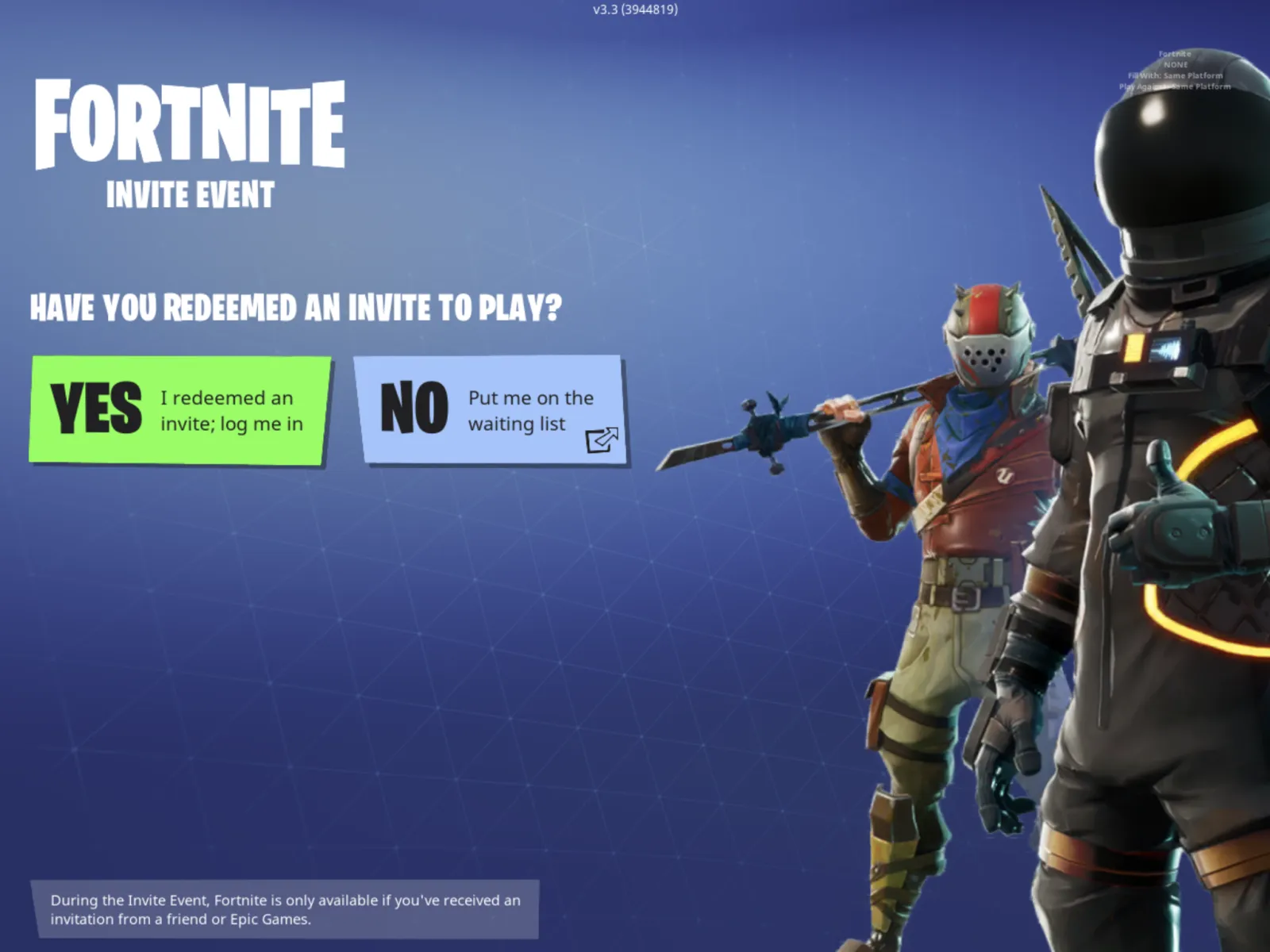
- Once the game is downloaded, on the home screen you'll see a message which will ask if you have signed up already.
- If you have, you will be directed to a page to sign in with whatever email or social media account you used to sign up.
- If you have not received the official Invite in your email, you won't be able to go any further. if you have though, you will have successfully logged into the game.
UPDATE 03/16/18 2:00 pm ET: Some users are experiencing problems with Fortnite Mobile crashing on iPhone 6S. If you have this problem, check out our solutions, here.
How To Get, Use And Send Fortnite Mobile Friend Codes
If a friend has received an invite, he or she will soon receive friend invite codes as well. If you need to know how to invite friends to Fortnite Mobile or create a party, you can check out our guide on that, here. If you've received a Fortnite Mobile invite but haven't received any friend invites, those will be coming in a separate email, so keep an eye out for them in the upcoming days.
How To Sign Up For Fornite Mobile
If you haven't signed up for the game yet, you can do so by following these steps:
- Go to the official Fortnite website and click on the "Sign up for Email Invite" button.
- Indicate if you are a Fortnite player. If you do play already, they will link to your current account for progress and purchases. Otherwise, you will need to create an account.
- Once you have made an account, you will be asked which device you will be playing on. Choose your primary iOS gaming device (These are the compatible mobile devices: iPhone 6S/SE, iPad Mini 4, iPad Air 2, iPad 2017, iPad Pro devices or later).
- After choosing your device, you'll be added to the list. Check the email account you provided during sign up to confirm your waitlist spot.
Have you downloaded Fortnite Mobile yet? What are your thoughts on mobile gameplay and controls? Share with us in the comments below!
View 0 Comments
Submit Correction
View Editorial & AI Guidelines